
 1 min 1 sec
EXPLAINER 01 / PREPARE
A better starting point for every assessment
See how curriculum-grounded AI can help educators prepare meaningful assessments without starting from a blank page.
EVERY LEARNER MATTERS. EVERY DAY MATTERS.
An assessment should do more than produce a mark. It should help educators understand what learners know, where they are struggling, and what to teach next.
Competence Studio brings curriculum-grounded AI assistance, assessment moderation, structured marks and learner intelligence together in one connected process.
A progressively developed School Intelligence capability. This page describes the intended workflow; ask us what is currently available to demonstrate.
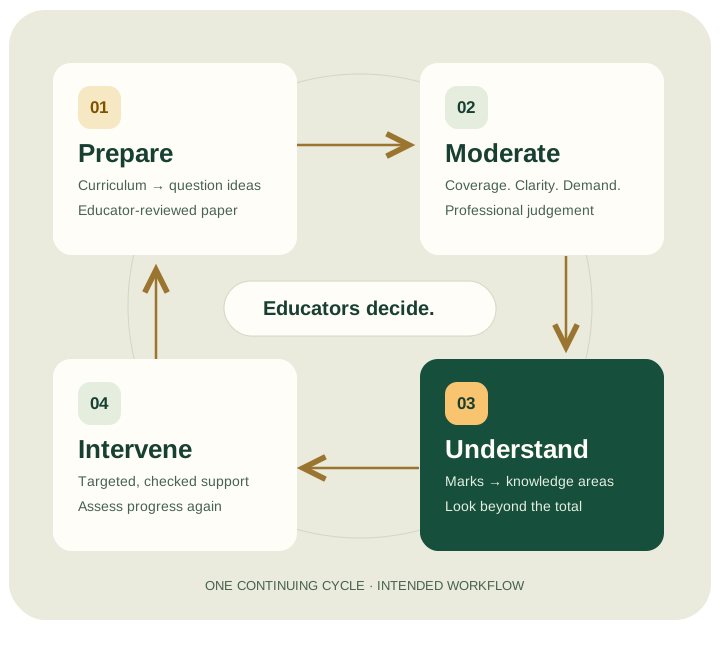
ONE CONNECTED ASSESSMENT CYCLE
Prepare with purpose. Check the quality. Understand the learning. Respond with care—and assess progress again.
Follow Ms Dlamini, a Mathematics educator, and Mr Jacobs, her HOD, through a 50-mark Grade 10 assessment at Ubuntu Secondary School. The school, people, paper and marks in this story are fictional.
01 PREPARE
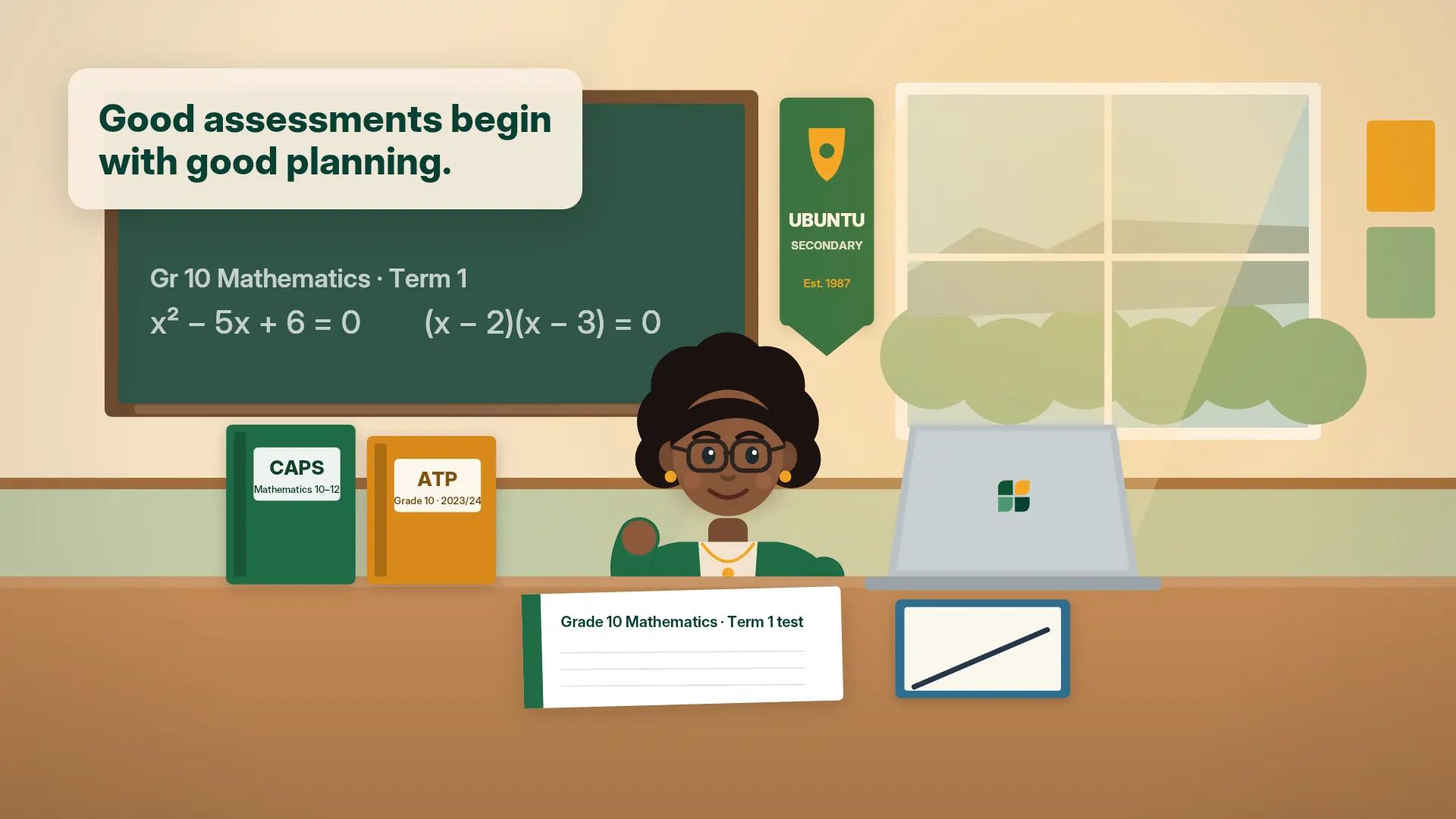
Preparing a meaningful assessment takes time. Competence Studio helps educators use the appropriate CAPS and Annual Teaching Plan documents to generate ideas for questions, assessment structures and memoranda.
AI helps educators explore possibilities, while educators retain control of the final paper.
At Ubuntu: Ms Dlamini works towards a 50-mark Mathematics paper. Curriculum references and suggested questions need checking before they become an assessment.
1 min 1 secEXPLAINER 01 / PREPARE
See how curriculum-grounded AI can help educators prepare meaningful assessments without starting from a blank page.
For the learner: questions with a clearer purpose, designed around the learning being assessed.
02 MODERATE
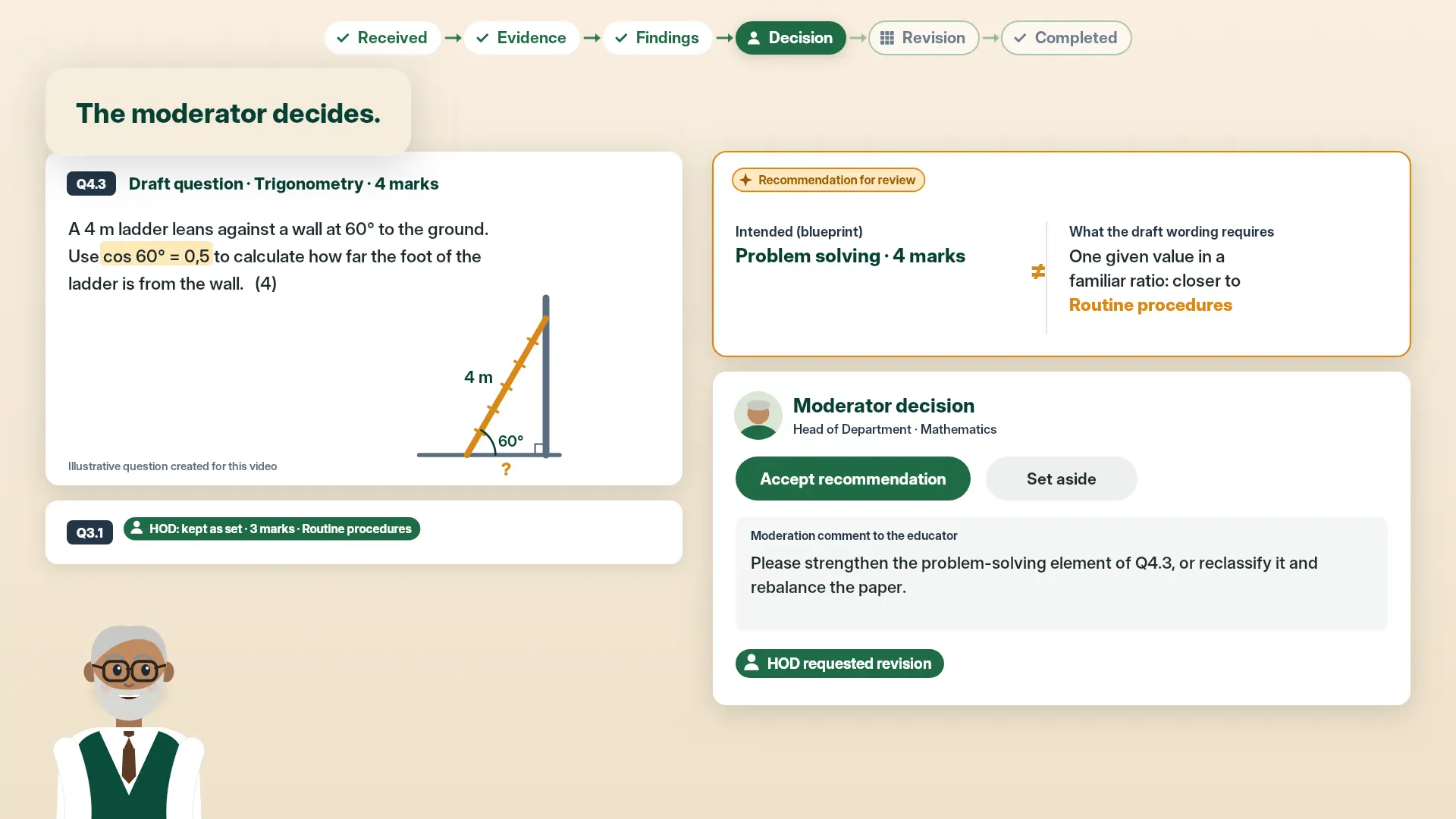
Moderation is essential to assessment quality. Competence Studio helps moderators examine a question paper and memorandum against the relevant CAPS and ATP requirements.
AI-assisted analysis can highlight areas requiring attention, leaving the moderator better equipped to exercise professional judgement.
At Ubuntu: Mr Jacobs reviews the draft paper and memorandum. AI recommendations inform his review—they do not become the moderator’s decision.
 1 min 4 sec
EXPLAINER 02 / MODERATE
Discover how AI can help moderators examine curriculum coverage, cognitive demand and assessment quality.
For the learner: an assessment whose coverage, clarity and demand have received professional attention.
03 UNDERSTAND
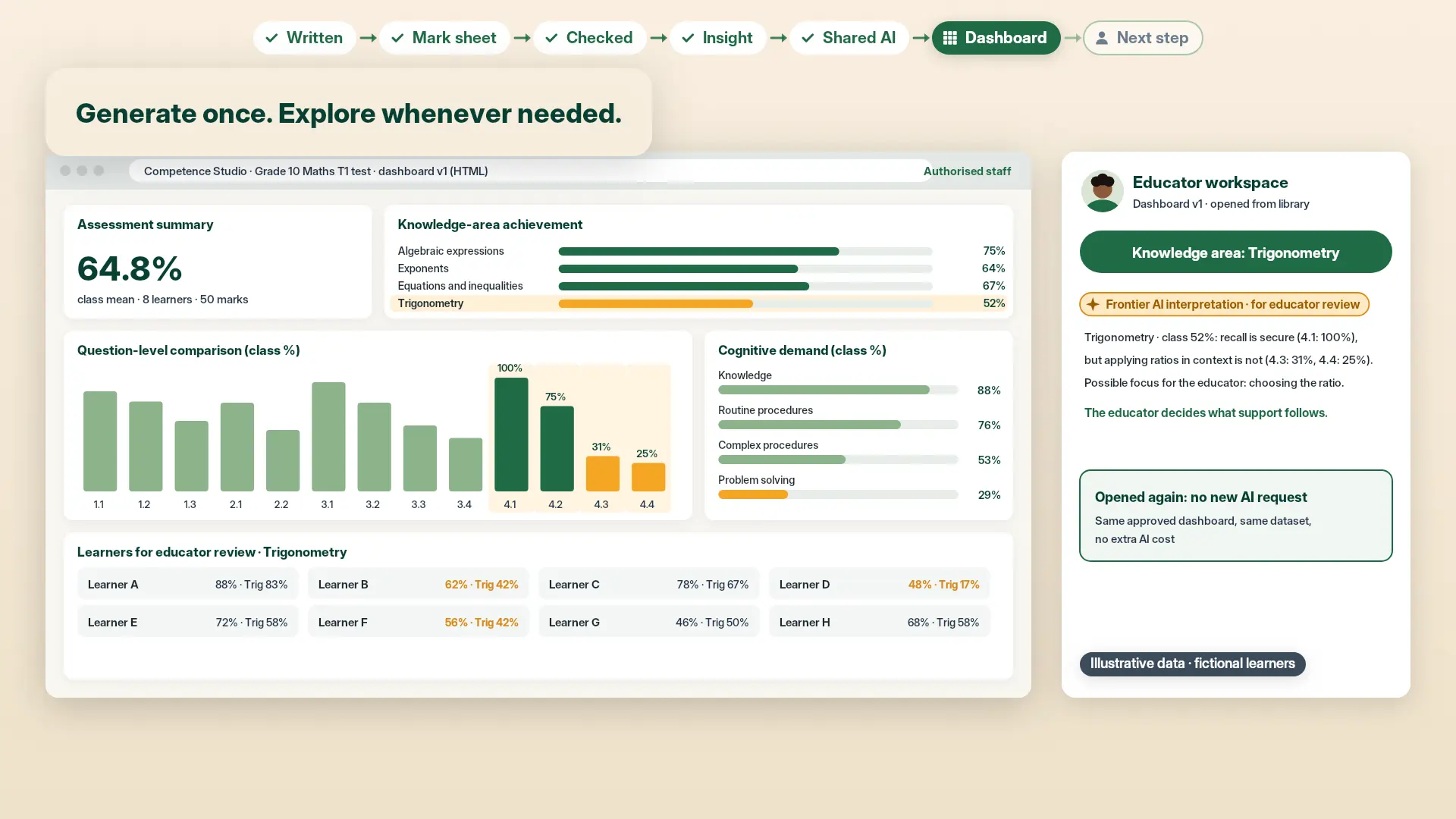
A final percentage rarely tells the whole story. Competence Studio connects an approved assessment blueprint to a structured mark sheet, allowing results to be analysed by question, knowledge area and cognitive demand.
Educators can identify specific learning difficulties instead of relying only on overall marks.
Calculated evidence is not AI interpretation. Verified marks and their arithmetic breakdown are distinct from any AI-generated suggestions. Educators review the findings.
At Ubuntu: Learner A receives 24 out of 50—48% overall. Only 2 of 15 marks come from functions questions. That difference deserves a closer look.
 1 min 12 sec
EXPLAINER 03 / UNDERSTAND
See how structured marks reveal the knowledge gaps hidden behind an overall assessment percentage.
For the learner: support informed by the areas behind the mark—not a label based on the total.
04 INTERVENE
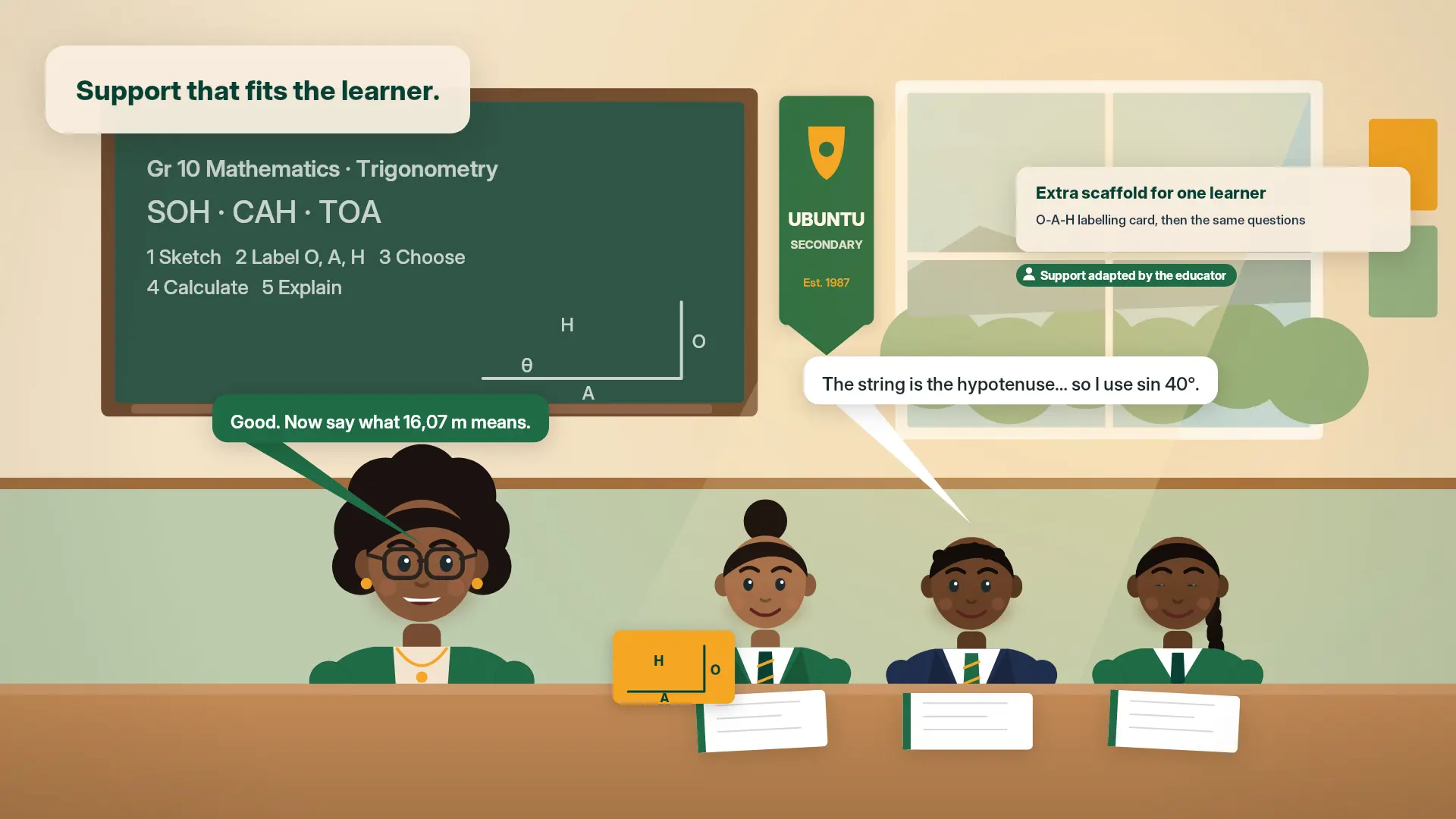
Identifying a difficulty matters most when it leads to meaningful support. Competence Studio helps educators use curriculum-grounded AI tools to prepare targeted revision activities, worked examples and additional learning resources.
These resources can support classroom teaching, small groups and individual learners requiring assistance.
NotebookLM or suitable Google Workspace AI tools may assist where available and approved by the school. This is an intended workflow, not a claim of a live integration. Learner information should not be put into external tools without the school’s appropriate authorisation.
At Ubuntu: Ms Dlamini checks Learner A’s functions working, adapts a revision worksheet and follows up with another short assessment. Improvement is checked, never assumed.
 1 min 16 sec
EXPLAINER 04 / INTERVENE
Discover how educators can turn assessment insight into targeted learning resources and timely support.
For the learner: a purposeful next step, selected by an educator—not an automated diagnosis or prescription.
↶ Review progress. Prepare the next assessment.LOOK BEHIND THE PERCENTAGE
An overall mark is useful. Understanding what lies behind it is even more valuable.
24 / 50 marks
One total. Several different learning stories.
A CLOSER LOOK
2 / 15 marks in functions: the lowest result relative to the marks available.
Review the learner’s functions answers and reasoning. Check the difficulty before adapting worked examples and practice, then reassess.
| Knowledge area | Marks | Achievement |
|---|---|---|
| Algebra | 10 / 15 | 67% |
| Equations | 8 / 10 | 80% |
| Functions | 2 / 15 | 13% |
| Number patterns | 4 / 10 | 40% |
Percentages compare each area against its own available marks. The overall result uses all 50 marks—not the average of these percentages.
| Question | Knowledge area | Marks |
|---|
Select a learner to explore a different breakdown. No data is sent anywhere.
Illustrative example using fictional learner data. Actual interventions are determined by educators and school leadership.
The topic mix and question weights are invented for this demonstration—not a validated CAPS/ATP assessment or a live school result. No AI model is called; all calculations run locally in your browser.
ASSESS WITH PURPOSE. RESPOND WITH CARE.
Discover how Competence Studio School Intelligence can help your educators prepare, moderate, understand and respond—so that assessment becomes a foundation for earlier learner support.
Fewer disconnected tasks. More attention to what learners need next.