Do the work.
Plan, teach, assess and record within the relevant class and subject context.
YOUR WORK. CONNECTED. YOUR PRACTICE. RESPECTED.
You chose teaching. Not a second job keeping the same records in different places.
Bring your timetable, CAPS and ATP references, lesson plans, assessments, learner observations and learning resources together in a professional workspace that grows as you work.
Not a file you rebuild at the end of the term.
A professional record that grows with your teaching.
The Digital Educator File is part of School Intelligence. This page illustrates the intended connected workflow; ask us which functions are currently available to demonstrate.

A WORKSPACE, NOT ANOTHER OBLIGATION
LESS DUPLICATION. MORE CONTINUITY.
A lesson is planned. A resource is checked. An assessment is moderated. Support is recorded. These are parts of teaching—not separate reasons to copy information into another file.
Plan, teach, assess and record within the relevant class and subject context.
Link the record to its curriculum topic, lesson, assessment or support activity.
Build a useful professional history without rebuilding a second set of documents.
Records created in the system contribute to the intended file. Additional learning materials are yours to select and retain. Reuse does not mean every record becomes accessible to everyone.
YOUR TIMETABLE IS THE STARTING POINT
Your timetable connects the grades, subjects and classes you teach. From that context, bring the relevant curriculum references and teaching materials into view.
The product’s stored CAPS and ATP documents—and their web-rendered pages—provide a way to navigate the references alongside your work, rather than searching through disconnected folders.
Current curriculum. Managed for you. Competence Studio takes responsibility for keeping the school’s digital CAPS and ATP copies up to date, including relevant published updates. Educators can focus on planning and teaching—not searching for the latest version. A timetable entry provides context; it does not by itself confirm that a lesson was taught.
CONNECTED TEACHING CONTEXT
Policy reference
Stored document + web pages
Teaching-plan reference
Stored document + web pages
A connected reference, not an automatic declaration of curriculum coverage or policy compliance.
REAL SOURCES. WITHIN REACH.
Open the actual Mathematics CAPS and ATP pages behind these examples. Move from the annual plan to a topic, inspect the detail, or download the complete source document—without hunting through folders.
DEPARTMENT OF BASIC EDUCATION · SOURCE DOCUMENT
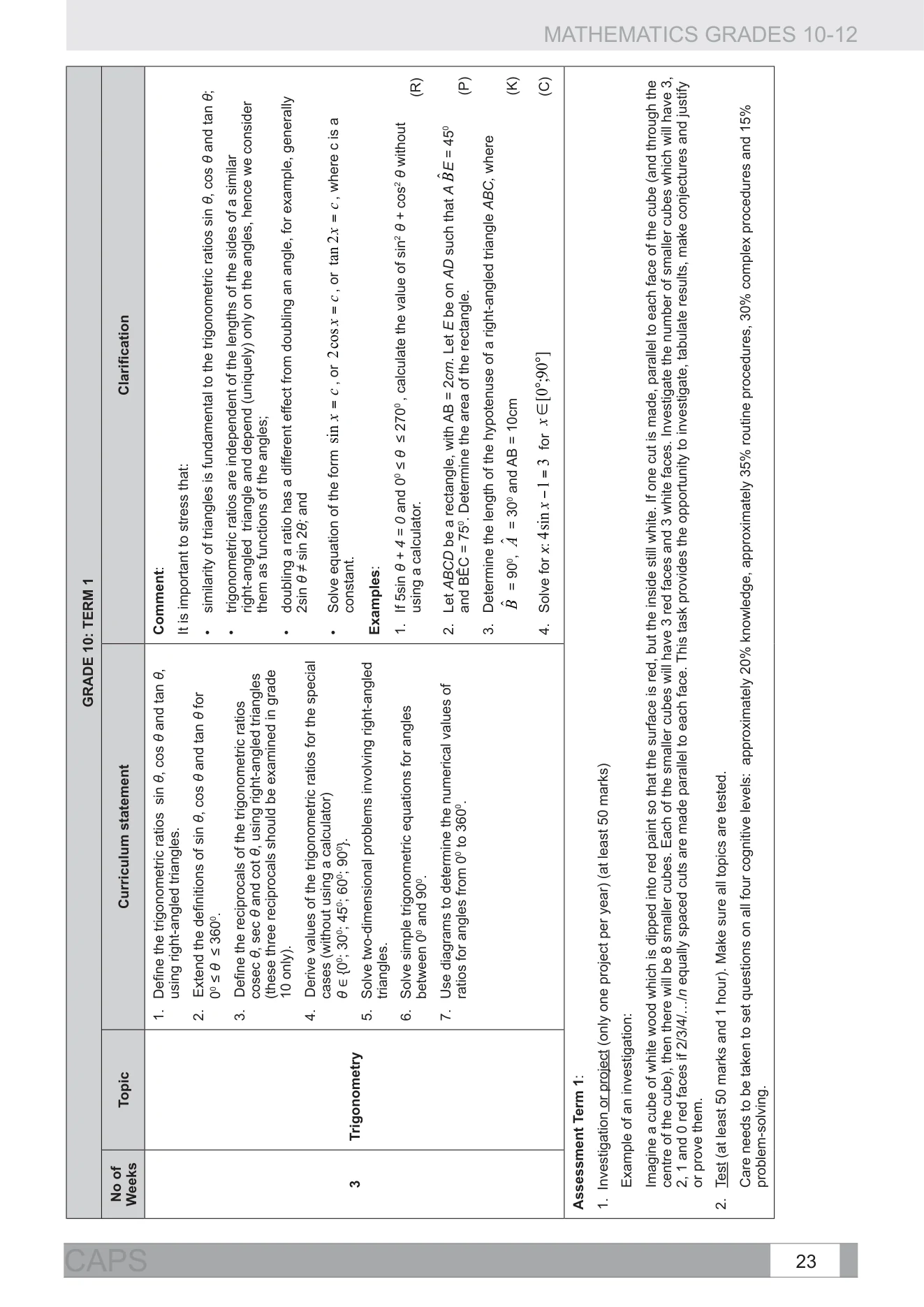
Published by the Department of Basic Education. Competence Studio provides this reference preview; it did not author these documents and does not imply DBE endorsement.
These website examples show Mathematics CAPS (2011) and the Grade 10 ATP (2023/24); their dates identify the sources illustrated here, not a claim that these are the latest applicable copies. In the school service, Competence Studio manages keeping the digital curriculum copies current—this is not another checking task for teachers or schools. The teaching-day timetable and lesson activities below remain fictional. View the DBE’s 2023 ATP source page.
EXPLORE THE IDEA
Choose a fictional lesson. Explore how its curriculum references, planning, assessment, learner observations and support can stay connected. Then choose whether to retain an example worksheet.
Fictional timetable and materials · Demonstration only
This example worksheet is not retained unless you choose to add it.
Example worksheet not added.
Explore the fictional workspace. No information is uploaded or sent anywhere.
This demonstration runs only in your browser. It shows selected actual curriculum pages, but does not access a school account, database or AI service. Choices reset when the page is reloaded. No real upload is requested.
PLAN YOUR WAY
Start with a lesson plan you already use. Prepare something new yourself. Develop additional material through the system, or choose to upload a resource you want to retain in your file.
If you use NotebookLM or school-managed Frontier AI, selected curriculum sources and a clear teaching objective can help guide preparation. Review the result, adapt it for your learners and choose what to keep.
The file supports your practice. It does not prescribe a single lesson template, require an AI tool or turn every useful resource into another compulsory submission.
Explore practical AI supportKeep the plans, examples and activities that work for your teaching.
Select existing materials to upload and link to their teaching context.
Work from appropriate sources. Check, correct and approve resources before classroom use.
AI assistance is optional. External-tool availability and account entitlements vary. Use only information and material the school permits; do not upload identifiable learner records without appropriate authorisation.
A FILE WITH A PURPOSE BEYOND FILING
Assessment evidence can point to a difficulty. Your professional judgement determines what it means and what support should follow. The file connects that evidence to the plans, materials and recorded follow-up that serve the learner.
Review confirmed marks and the learner’s actual working.
Select an objective and prepare or adapt a suitable resource.
Teach, listen and record the activity and relevant observations.
Review new evidence and decide the next step—not an automatic success label.
A learner can recall a trigonometric ratio but struggles to choose it in a word problem. The educator reviews the working, prepares a labelled-diagram activity, teaches the method and records a follow-up check. The original assessment stays intact; the plan, resource and new evidence add context to the professional record.
Illustrative teaching scenario—not a real learner record or a claim of proven improvement.NOTICE ONCE. KEEP THE CONTEXT. FOLLOW THROUGH.
Not everything that matters appears in a mark or an attendance total. Everyday observations can capture a learner’s participation, progress, strengths or a concern that needs attention—without making the educator rebuild the same account in several places.
The Digital Educator File connects those observations to the teaching context and any follow-up. Together with assessment, attendance and curriculum progress, they contribute to a fuller, 360-degree view of the learner for authorised staff.
Record the observation on the paper learner-observation form. Keep what was observed distinct from an interpretation.
Where follow-up is required, use voice-guided reporting to describe what happened and provide the relevant context—rather than starting again with a blank report.
The educator checks and confirms the report. The confirmed report is then automatically filed with the linked observation in the Digital Educator File, under the appropriate access controls.
Where action is needed, the report is also sent to the designated school authority. Keep the action and recorded follow-up connected—not a report that disappears into a folder.
A classroom observation may simply record progress. Another may need a follow-up conversation, learner support or an incident report. Not every observation becomes an incident; the nature of the observation and the school’s authorised process determine what happens next.
Intended connected workflow—not a live reporting service on this website. Authorised people review and act; software does not diagnose learners or make disciplinary decisions.The file keeps the educator’s record connected without making sensitive reports visible to everyone. Follow the school’s reporting and urgent-response procedures; a software workflow does not replace them.
ALONGSIDE PAPER. OR IN ITS PLACE.
Use the Digital Educator File to augment a physical file, or use it instead where your school’s requirements allow. The choice belongs with educators and their school—not with an inflexible technology workflow.
The aim is a securely stored, organised record that is useful throughout the term, not only when a file is requested for review.
Digital organisation does not automatically replace a school’s required originals, signatures or submission processes. Agree the appropriate approach with your school.
These are the intended design principles, not a claim of independently certified security, legal compliance or universal approval to replace paper records.
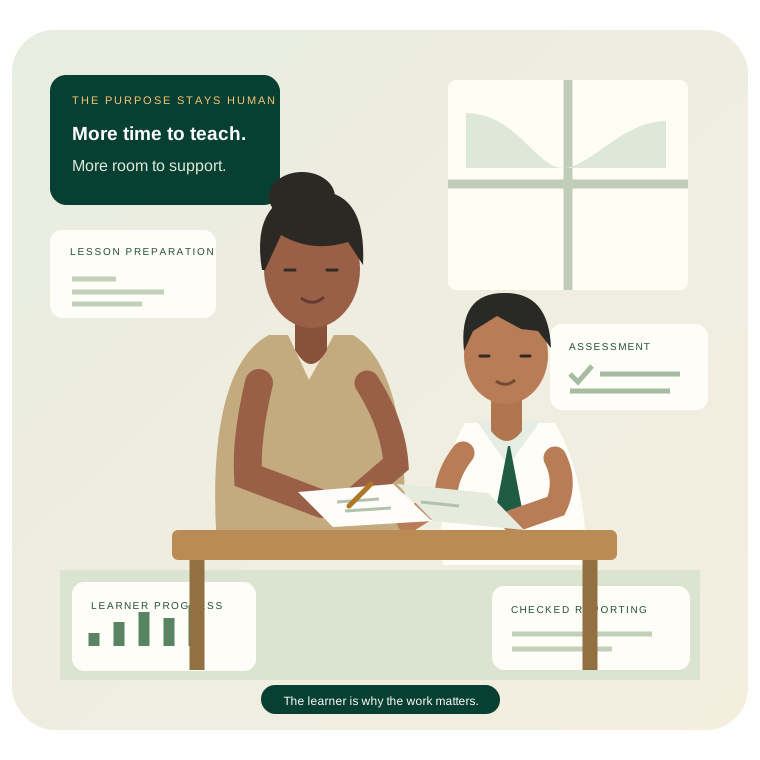
THE EVERYDAY WORK BEHIND THE RECORD
A connected teaching workspace should make the professional record a useful result of your work—not another job at the end of it.
Explainer coming soonWe’ll add a reviewed explainer here. There is no video download or inactive play button.
EVERY LEARNER MATTERS. EVERY DAY MATTERS.
Explore how School Intelligence can connect your planning, curriculum references and professional record—giving you more room to teach, reflect and support learners.